
Overview
The Custody Smart Contract Platform allows users to create and manage warm and cold wallet contracts across multiple blockchains using third-party wallets such as MetaMask and OKX Wallet. Combined with MPC wallet’s scheduling strategies, this setup enables cold and hot storage segregation and automated asset management. The smart contract wallets created on the platform require a minimum number of approvals (M-of-N) before any transaction can proceed. For instance, if your organization has three key stakeholders, you can configure the wallet to require approvals from 2 out of 3 (2/3) or all 3 stakeholders before a contract proposal is finalized. This ensures that no single person can unilaterally compromise the security of the funds. Most importantly, the contracts you create give you full control over your assets. The deployed smart contracts are entirely independent of any system influence and are exclusively controlled by the contract signers.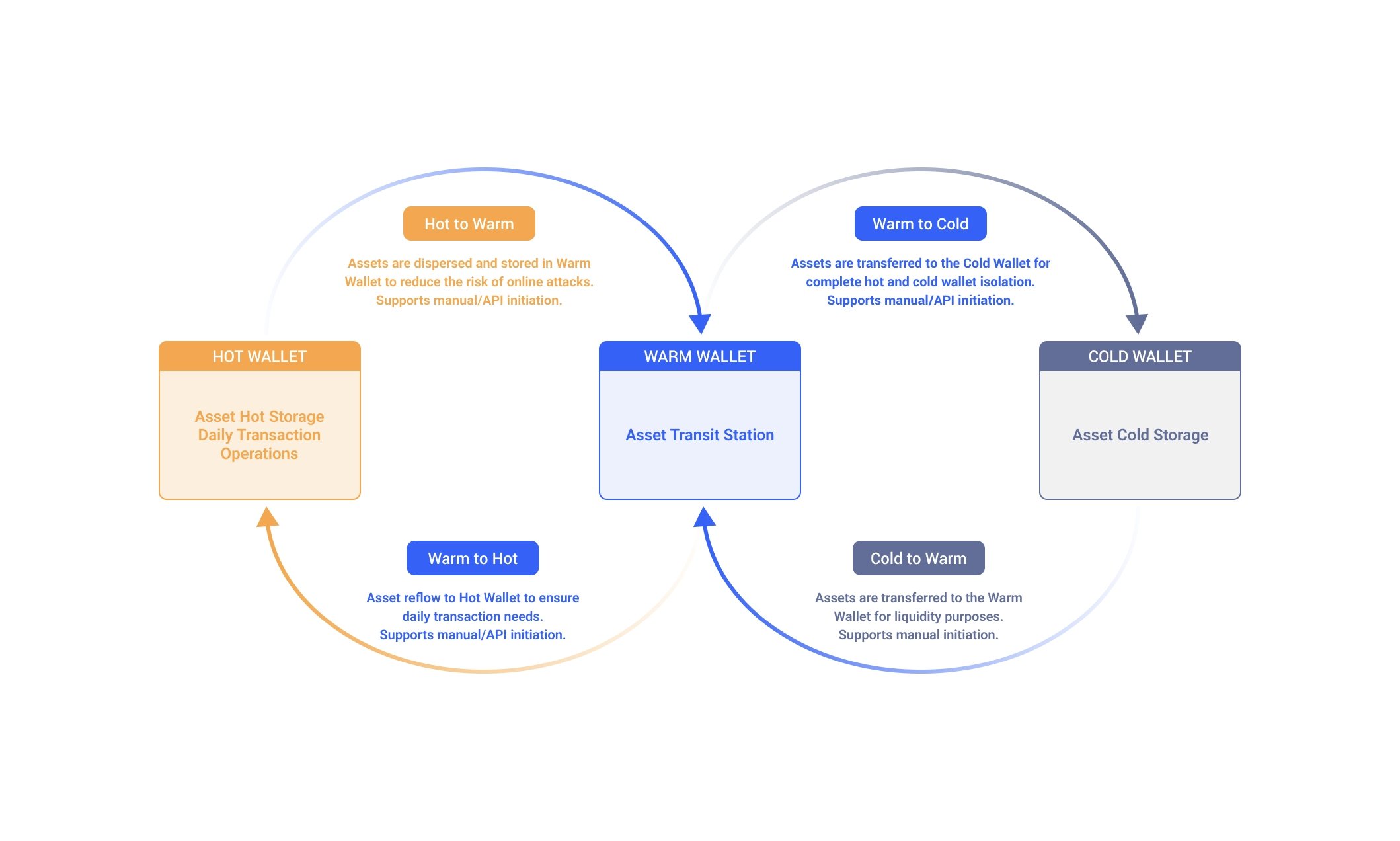
Introduction
Create Contract
ChainUp Custody supports the creation of hot/cold wallet contracts for the following networks:- Ethereum
- Binance Smart Chain
- TRON
- Huobi ECO Chain
Please note that you need to link to third-party wallets to create contracts, and the supported networks may vary between different wallets. For example, the platform only supports using TronLink and OKX for linking to the TRON network. Please choose the wallet that corresponds to the network of the contract you need to create.
Manage Contracts
Initiate Contract Proposals Users can initiate the following types of proposals based on their needs. The proposal will only take effect once the number of confirmations meets the multi-signature threshold required for the contract.Please note that only the signers of the contract can manage contract information and initiate related proposals. Both the proposal publication and approval confirmation need to be broadcast on-chain and require a minor fee.
This information is stored only on your local device. If you clear local cache or switch devices, the historical label information will be cleared.